How to split a large Trados Studio file into multiple parts

About splitting a large file into multiple parts
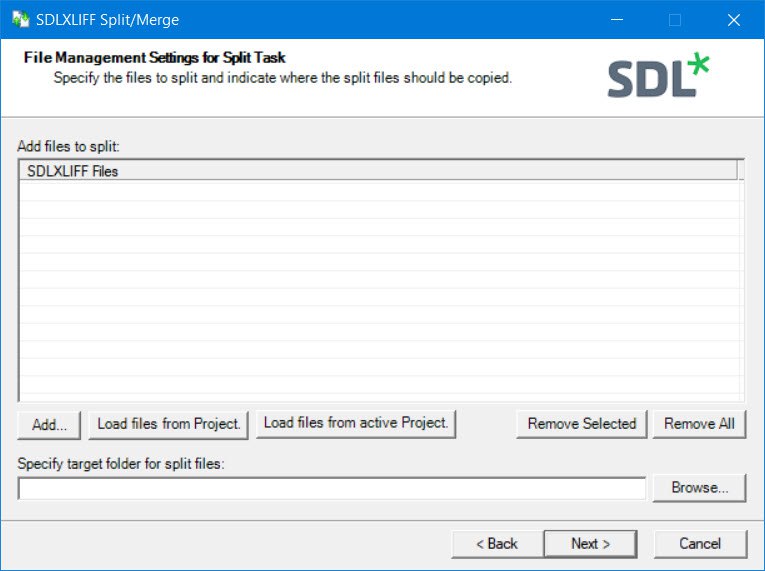
How to split a large Trados Studio file into several parts:
- Using the special SDLXLIFF Split & Merge plugin. You can download it here, detailed instructions are here.
➕ The plugin is free, simple, and effective. Trados Studio is not needed at all.
➖ It is better to use it only for splits, there are problems with merges.
* * *
- Using the standard studioViews feature. Here is its description on the developer’s website and a good article by Paul Filkin about it.
➕ Always works as expected. Allows you to merge not only files that were previously split, but any files at all. Merges not only files but also filtering results.
➖ Requires Trados Studio 2019 or newer.
* * *
- You can cheat Trados Studio by opening the package, for example, in memoQ, and splitting the file there.
➕ The method is convenient if the other CAT tool is more familiar and all the actions there are well-known.
➖ You need to know how to split files in another CAT tool. There may be compatibility issues when converting back to SDLXLIFF.
* * *
- The geek way is to open the required SDLXLIFF file as a text file (for example, in Notepad++) and carefully cut out the unnecessary parts: as many times as required parts to be formed.
➕ This is the only way that works when nothing else does.
➖ You need to know how to do it and clearly understand what you are doing.
Recommended content

How to Fix the “LNG Is Missing” Error in MultiTerm

How to Fix the “The Specified Project Name Is Invalid” Error in Trados Studio
Useful Keyboard Shortcuts for Browsers

How to Fix the “Error processing command line arguments” Issue in Trados Studio