How to Get Rid of the “Error Occurred in File … Attempted to Divide by Zero” Error in Trados Studio
If Studio decided to divide by zero
The fascinating TV show about Trados Studio errors continues!
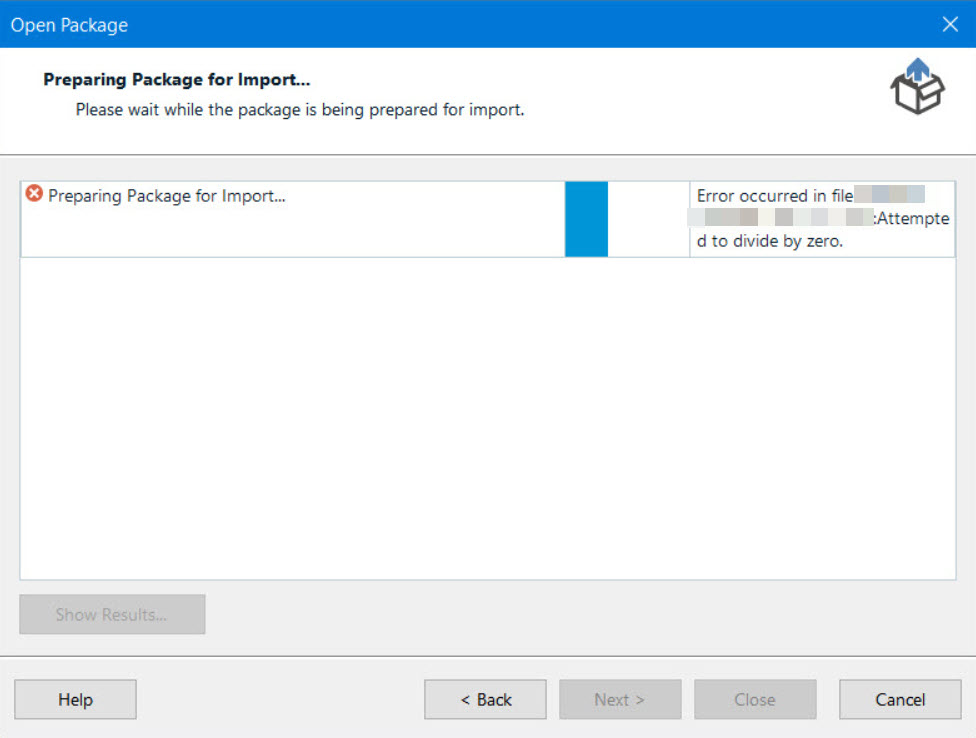
The Error occurred in the file ... Attempted to divide by zero error appears when you try to import a WSXZ package. The error is rare: Google knows about it by hearsay, and even if you use the link, you will find the description of termbase issues, but the real reason turned out to be different.
The exact origin of this issue is unknown, but it is related to some problems with the XLF file structure. Surprisingly, the problematic XLF file itself gets opened as intended (in our case).
First, you should inform your client about the issue. If the client is unavailable or has no idea about how to solve it, perform the operations below. Their common purpose is to retrieve the XLF file from the package and translate it separately. The order of actions is as follows:
- Rename the package file: replace the WSXZ extension with ZIP, or just add the ZIP extension.
- Unzip the resulting ZIP archive.
- Manually create a project in Trados Studio with the name repeating the name of the source package and the same language direction.
- Specify the XLF file from the unzipped archive as a file for translation.
- In the project, create an empty translation memory and import the TMX file from the unzipped archive into it.
- If the unzipped archive contains a TBX file, connect it as a termbase. You need to convert it from TBX to SDLTB first—we will tell you how to do it in one of the future posts because this one is already getting huge :)
- Namely, translate the project as usual.
- Put the translated XLF file instead of the XLF file with the same name into the unzipped archive without changing its structure.
- Make an archive out of the unzipped ZIP archive.
- Change the ZIP extension back to WSXZ. Then, you will probably have to either upload the package to SDL WorldServer (if you have done everything correctly, the server will accept it) or send it to your client, depending on your procedures.
- Profit.
The instruction seems long, but it takes longer to write than do what it tells: it is important to understand the purpose of each action, though. And if your XLF file is small and the translation memory does not reduce the amount of work, you can translate it by opening it in Trados Studio directly, i.e., even without creating a project.
If you know a more humane method, please share.
Recommended content

How to Fix the “Error processing command line arguments” Issue in Trados Studio

How to use the ampersand and how is it different from and
How to split a large Trados Studio file into multiple parts

T9N, L10N, I18N, G11N, C13N, M17N, V8N