Protemos System

Protemos is a simple record and process management system designed for both freelance translators and translation agencies.
Not so long ago, Protemos, whose developer team also includes creators of ChangeTracker, released a new project management system Protemos.
This online service is designed especially for running a translation business. Protemos is a record and process management system designed for freelance translators and translation agencies. It is simple and free for freelancers.
Protemos allows creating an organized database with clients and vendors, monitoring job execution and financial aspects of the business, keeping records, and analyzing the results of the activity.
Sign up and get started
To sign up, open the official website www.protemos.com and press the registration button:
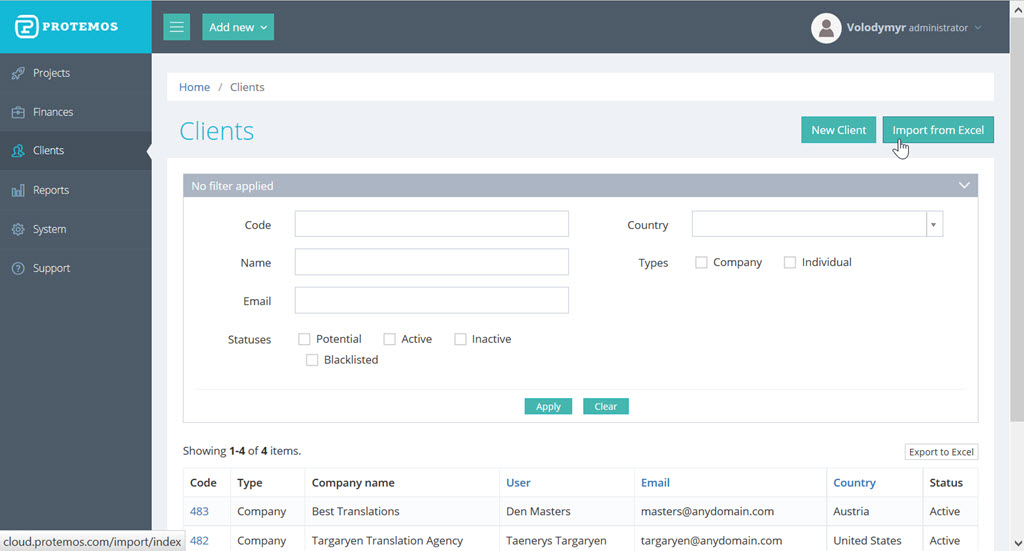
You can import your client list from an Excel file. After this, you can search clients by the first letters of their name, code, email address, or status.
In several months, you may find useful report creation that allows assessing the results of your work.
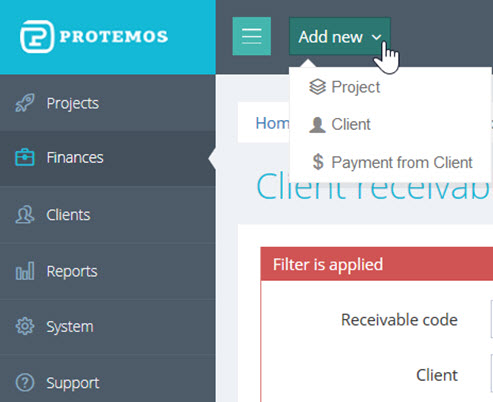
The Protemos version for freelancers allows:
- to keep a client database with necessary information;
- to register every potential and real project, link it to a client, enter the price and deadline for a job;
- to store project-related files in the cloud;
- to automatically generate price offers (quotes) and invoices, to send them to the client directly from the system;
- to register all the received payments and control payment deadlines;
- to automatically generate statistics on clients and orders: how your profit has changed during a certain period, which clients bring you the most profit, what is the dynamics of billing and payment, etc.;
- to export any table to Excel.
The Protemos system optimizes administrative routines and saves time. It is a much more flexible and reliable way to keep records than Excel and Google Sheets. The simple, intuitive interface and flexible price policy allow it to compare favorably with the competitive products.
The system is improved all the time, and its developers will be grateful for comments, suggestions, and ideas that will help make Protemos as useful and user-friendly as possible.
More details can be found on the website www.protemos.com and Protemos social media profiles, such as Facebook: https://www.facebook.com/protemos.
In summary, Protemos lets you manage your freelance activities in a simple but very helpful way. This approach is much more flexible and reliable than using Excel spreadsheets alone. It may also be preferable to other competing products in terms of the interface and price (remember, it’s free for freelancers).
This system allows a freelancer to streamline project management activities and dedicate more time to actual translation work.
Moreover, Protemos developers gather feedback to make Protemos even more of what users want. The Protemos team would love to hear your ideas. Just sign up at www.protemos.com, try the system, and send us your feedback.
Recommended content

How to Fix the “LNG Is Missing” Error in MultiTerm

How to Fix the “The Specified Project Name Is Invalid” Error in Trados Studio
Useful Keyboard Shortcuts for Browsers

How to Fix the “Error processing command line arguments” Issue in Trados Studio