our blog
Gloomy October Day’s Post
04 October 2017
Relax!
When translators are going crazy with the amount of work and tight deadlines, they want to relax. One of the mainstream CATs (memoQ, of course) has a special tool for this. Even two tools!
The first one: put on your headset and go to memoQ > Options > Go Zen:
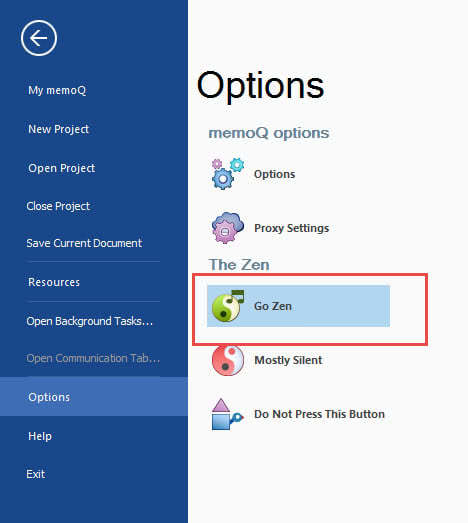
You will obviously know Zen.
The second thing (if the first thing is not enough): go to memoQ > Options > Do Not Press This Button:
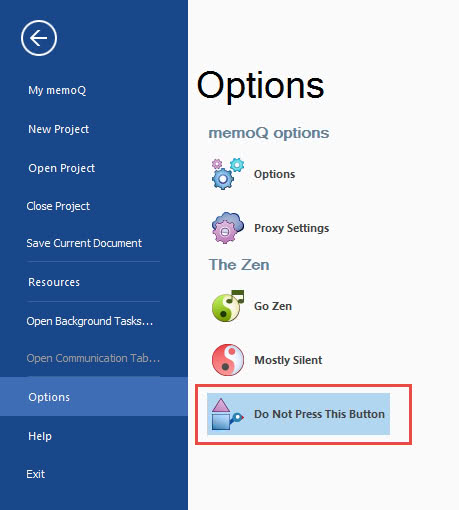
(It was a joke :) )
Recommended content
How to type a number in superscript or subscript
About superscript or subscript numbers How do you type a number in the upper or lower index if the text editor has no idea what an index is? For example, in a regular Notepad (and, by the way, in Telegram). This is where Unicode comes in. It has ready-made symbols for numbers in the upper […]
How to quickly adjust the text size on a web page in Windows
About adjusting the text size on a web page in Windows The fastest way to adjust the text size of a web page in Windows is to spin the mouse wheel while holding down the Ctrl key: On laptops that use a touchpad instead of a mouse, you can use the following commands: Plus and Minus […]

Names of some well-known companies that actually are abbreviations
Fun facts about brand names Names of some well-known companies are actually abbreviations, not acronyms:
Artificial Intelligence is not Intelligence
A few thoughts on artificial intelligence For an AI chatbot like ChatGPT to work, it first needs to train the Large Language Model (LLM) it relies on using a huge amount of text data. Modern LLMs are trained on almost everything that can be found on the internet. The texts generated by chatbots are often […]
Where will experienced translators come from if there are fewer inexperienced ones on the market?
Abstract semi-philosophical considerations Machine translation is gradually pushing out of the market those translators who cannot keep up with it in terms of quality, i.e., those who are not very experienced. As a result, the ratio of experienced to inexperienced translators should theoretically gradually change in favor of the former. This seems to be a […]

