our blog

How to Change Font Size in Trados Studio

How to Change Font Size in Trados Studio - 1

Customize font size in Trados Studio

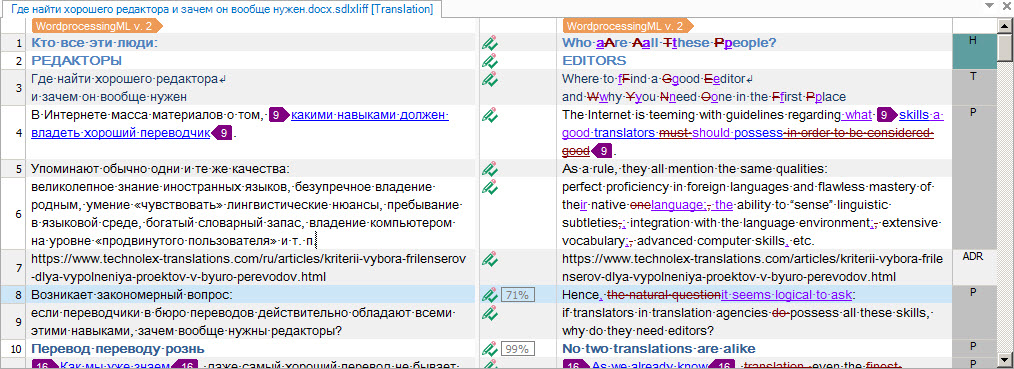
Sometimes the font in Trados Studio documents appears to be too small and inconvenient to work with. Like this:
How to Change Font Size in Trados Studio - 2

The font in Trados Studio can be increased. Unfortunately, it must be done in a non-trivial way.

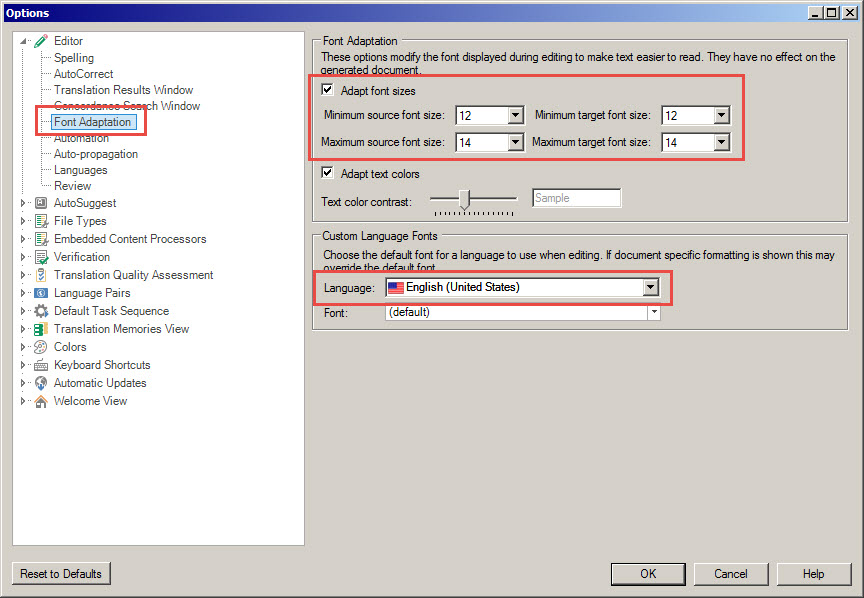
Press File > Options > on the left panel and choose Font Adaptation. On the right panel, you will see four number fields: for minimum and maximum font size of text sections in source and target languages. Increase these numbers. They may differ for different languages (a language choice field is in this very dialog window below). Obviously, the maximum number must be bigger than the minimum one.

We recommend 12 for minimum font size and 14 for maximum font size:
How to Change Font Size in Trados Studio - 3

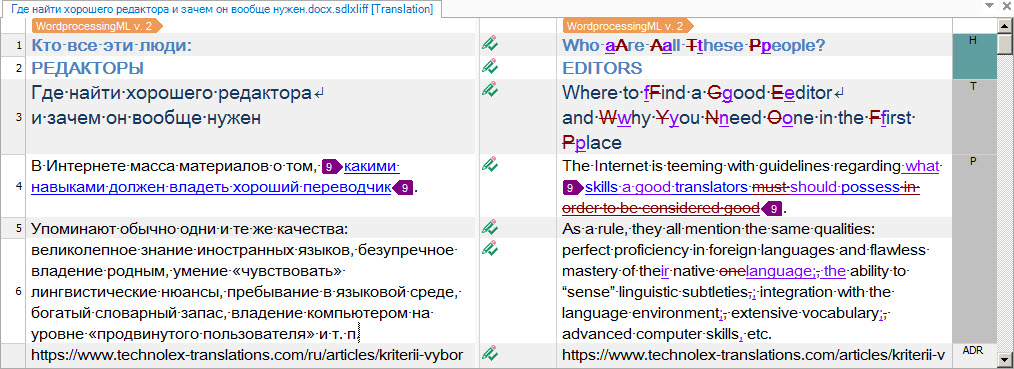
Press OK and you will have the font size changed:
How to Change Font Size in Trados Studio - 4

Save your eyes!

Recommended content

How to Change Font Size in Trados Studio - 5

T9N, L10N, I18N, G11N, C13N, M17N, V8N
Some slang abbreviations from the localization field Let’s check some slang abbreviations from the localization field. All of them are based on the principle of “taking the first and last letters of a word, cutting out the middle, and writing the number of the cut out letters instead.” These terms are vague, and their meanings […]
How to Change Font Size in Trados Studio - 6

How to enter characters that are not on the keyboard
About ways to enter characters that are not on the keyboard If you’re working on Windows and need to type something that isn’t on the keyboard, press Win + ;. A small window will appear where you can choose the type of character you want (regular, emoji, or smiley) at the top and specify it […]
How to Change Font Size in Trados Studio - 7

How to fix the “Value cannot be null. Parameter name culture” error in Trados Studio

About another error in Trados Studio If you create a project in Trados Studio and when asking to see a preview of the file, it says that you are not cultured enough, Value cannot be null. Parameter name: culture —ignore it: the project will be created properly and everything will be fine. It’s only the […]
How to Change Font Size in Trados Studio - 8

Indirect signs that you are losing money

Reflections based on observations Computer Files Programs Word Text Internet
How to Change Font Size in Trados Studio - 9

How to type a number in superscript or subscript

About superscript or subscript numbers How do you type a number in the upper or lower index if the text editor has no idea what an index is? For example, in a regular Notepad (and, by the way, in Telegram). This is where Unicode comes in. It has ready-made symbols for numbers in the upper […]